What's new in ActionApps 2026.9
Faster sites thanks to smarter caching and thumbnails served straight by the web server, a new State Check page that watches the health of your installation, notes right inside the admin, and a round of security fixes. Release 2026.9 is about speed, reliability and safety.
We've just released ActionApps 2026.9 — more than 180 changes since 2026.6 in June. Last time we focused on everyday comfort for authors; this time we looked under the hood. Sites are faster, the system watches its own health, and it is once again a bit more secure. Here are the highlights.
For authors
A more reliable Translate button. Automatic translation now copes with long texts. If a translation fails, the admin says so and leaves the field untouched — a failed translation can no longer wipe what you had there.
Smoother picking of related items. Search in the related-items field behaves more calmly: results no longer jump around while you type, the previous results stay visible while you wait, and it tells you plainly when nothing matched.
Small things that help. E-mail templates are now edited in a comfortable rich-text editor. And the new admin look we introduced last time has been polished further — if you have an opinion on it, keep using the Feedback box.
For editors and administrators
State Check — a system that watches itself. The new State Check page (AA menu, superadmins) goes through the logs, the database and the configuration and shows in one place what is wrong: worst first, always with evidence and with what to do about it. Many findings can be repaired with a single button. It watches, among others, planned tasks, the task queue, PHP errors, the image cache and colliding item URLs.
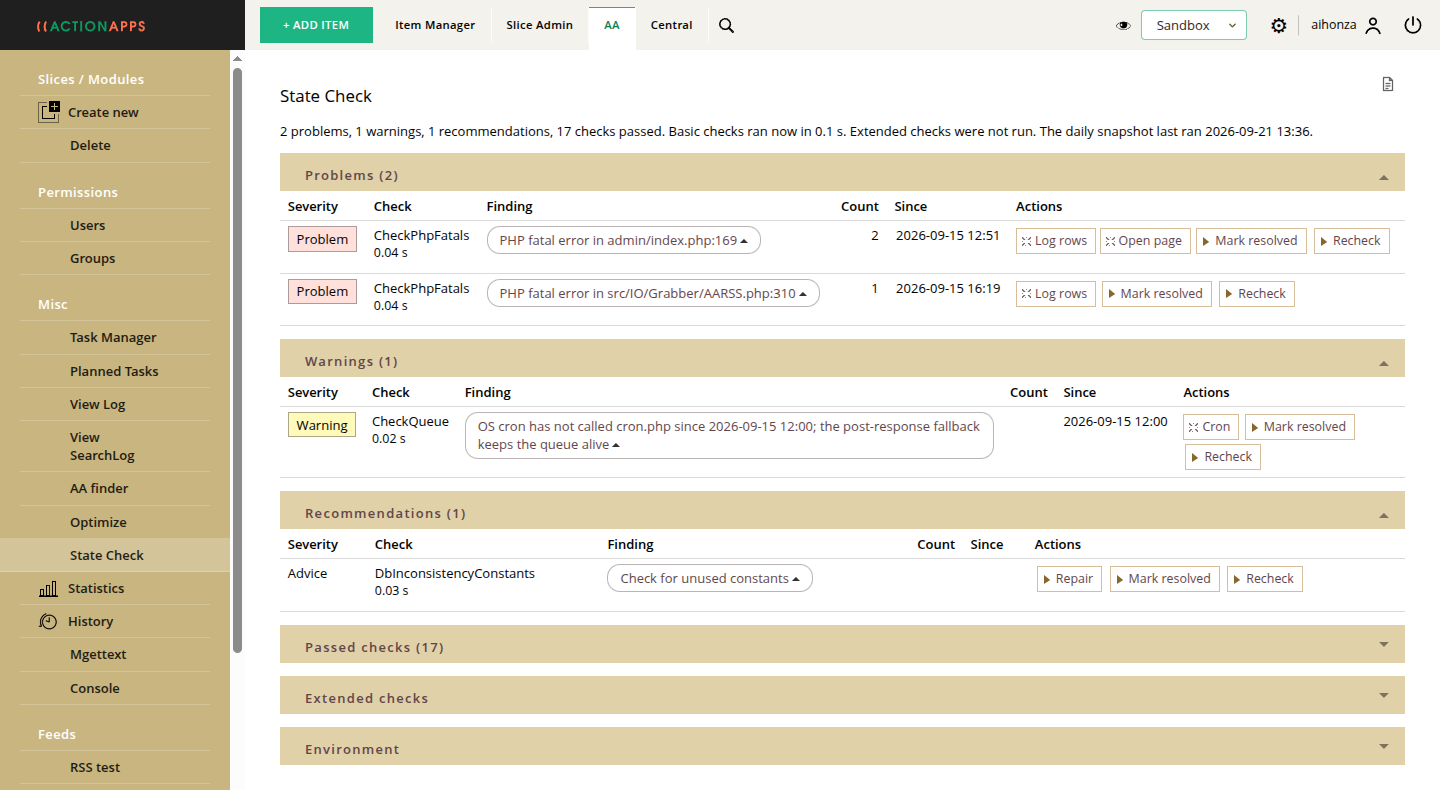
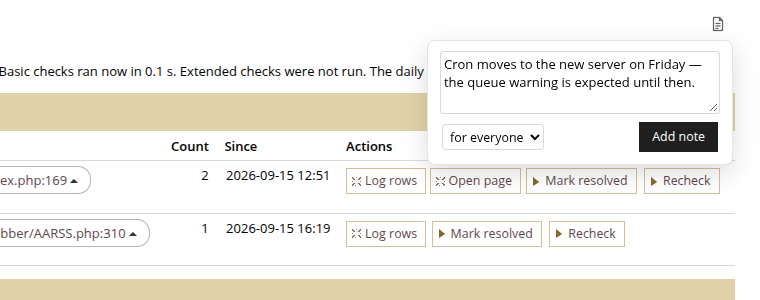
Notes right inside the admin. Attach a note to an admin page, a State Check finding or any other AA resource — why something is set up the way it is, what is left to do, what has been resolved. A note can be for everyone or only for you. The notes icon sits quietly in the corner next to the page title, out of the way until you need it.
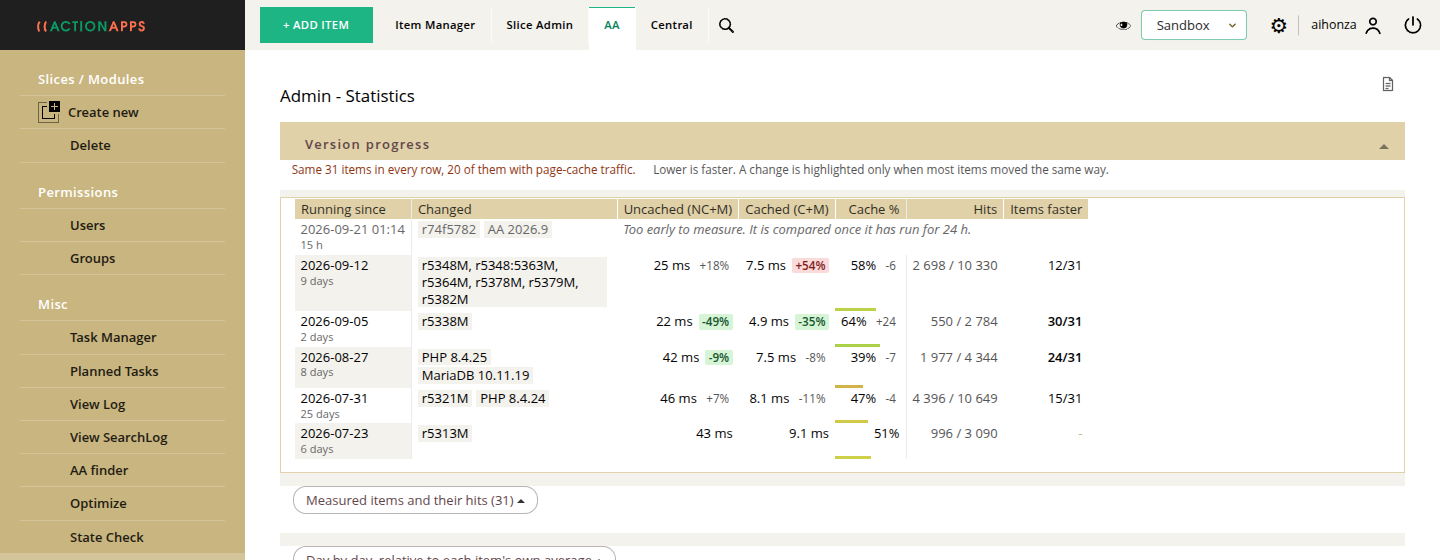
See whether your site is getting faster. AA Statistics has a new Version progress view: day by day it shows response times and cache hit rate, and highlights the moments when the AA version, PHP or the server configuration changed. You can tell at a glance what each update gave your site — or took away.
Traceable e-mails. Every e-mail sent is now logged, including the mail server's response — so "did it actually go out?" finally has a clear answer. We also fixed a rare case where an Alerts e-mail could be sent twice.
One queue for every periodic job. Sending alerts, feeding content from other sites, link checking and database maintenance now all run as Planned Tasks in a single queue. A job never runs twice, and everything is visible in one place and in the log.
For developers and advanced users
- Thumbnails from a static cache, zero configuration — images resized by the img command are generated once and then served directly by the web server, without PHP. A page with twenty thumbnails no longer means twenty PHP requests. It works out of the box and falls back to the old path wherever it cannot.
- 12-hour page cache — a dedicated task now watches publish and expiry dates and invalidates the cache at the right moment, so the default cache lifetime could be raised substantially. More pages come from cache, the server does less work.
- Faster, safer saving — items are stored in database transactions with multi-row inserts. Reading AA objects, building menus and querying long item lists got faster too, and use less memory.
- New code editor — templates are now edited in CodeMirror 6.
- Security — the code went through a security audit; several possible SQL injection and XSS issues were fixed, and the register_globals emulation, a relic of early PHP, is gone for good.
- Better diagnostics — the AA_LOG_PHP_FATALS option records PHP fatal errors in the AA log, and log entries are easier to read. A missing module or site file now ends in a clear message instead of a blank page.
- Moving from LDAP to SQL permissions — the SQL backend accepts LDAP-style password hashes and rehashes them to bcrypt on first login.
- AVIF in Firefox — AVIF images are generated so that Firefox renders them correctly.
- ActionApps on GitHub — development has moved to git. Every change is checked by automated tests (a thousand of them today) and static analysis before release; installations update from git, while SourceForge stays as an SVN mirror for existing installs.
The full list of changes is in the commit history on GitHub. Spotted something or have an idea? Use the Feedback box in the admin top bar — it reaches the AA team directly.