What's new in ActionApps 2026.6
A unified editing workspace, the admin in your language and your preferred look, a clear change history with colour-coded version comparison, and per-article statistics. Release 2026.6 focuses on everyday comfort for authors and editors.
We've just deployed ActionApps 2026.6. Although only a few weeks have passed since 2026.5, it brings dozens of practical improvements — most of them aimed at the people who spend the most time in the admin: authors and editors. Here are the most visible ones.
For authors
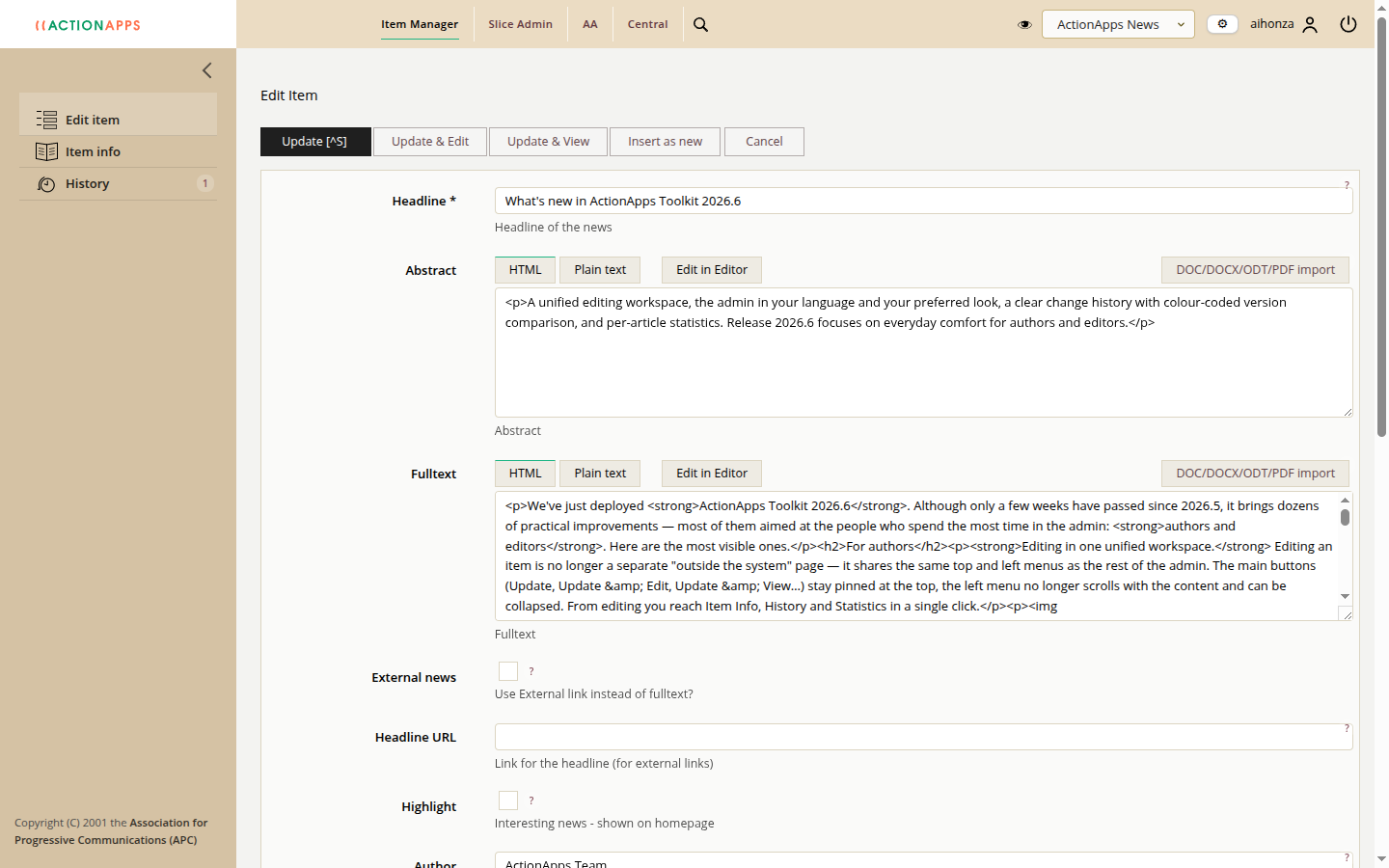
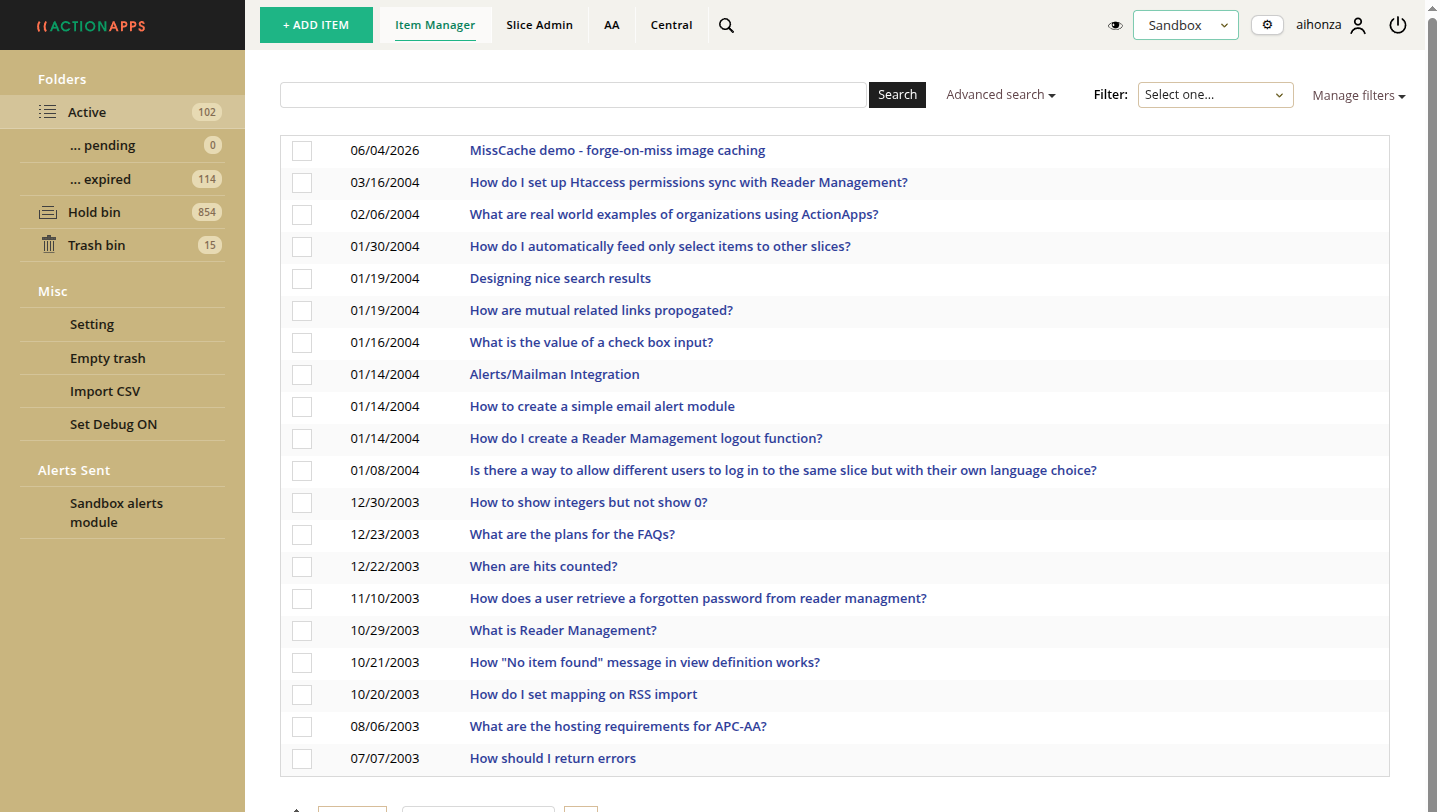
Editing in one unified workspace. Editing an item is no longer a separate "outside the system" page — it shares the same top and left menus as the rest of the admin. The main buttons (Update, Update & Edit, Update & View…) stay pinned at the top, the left menu no longer scrolls with the content and can be collapsed. From editing you reach Item Info, History and Statistics in a single click.
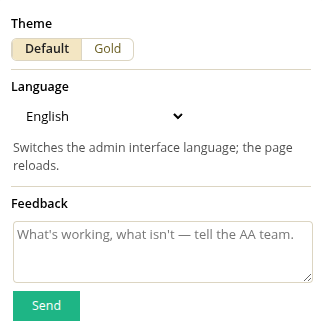
A new look — and we'd love your feedback. We're preparing a more modern admin theme and want to show it to you before it goes live for good. You can switch it on and try it right away (the Appearance toggle). Most of all, tell us what you think — what you like, what you don't and what to improve. The Feedback box right next to the switch sends your note straight to the AA team.
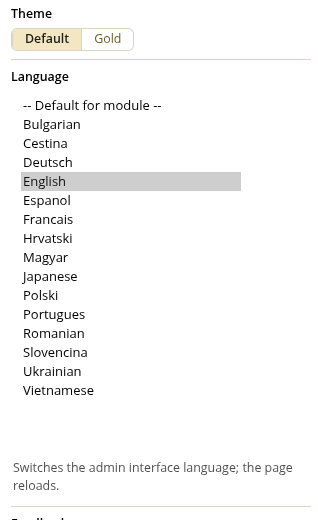
The admin in your language. You can switch the interface to your own language — 15 are available: English, Czech, Slovak, German, French, Spanish, Croatian, Hungarian, Polish, Portuguese, Romanian, Bulgarian, Ukrainian, Japanese and Vietnamese. We fully revised and extended the translations this year.
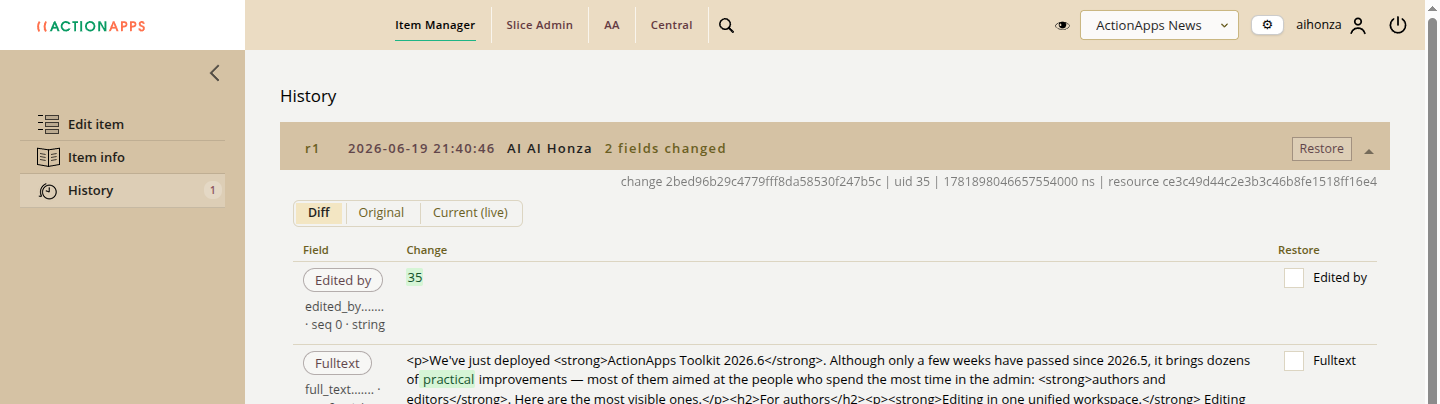
A clearer change history. Item history is now genuinely readable. A colour-coded diff shows, word by word, what was added (green) and removed (red). You can compare any two versions, view and copy the content of any older version, and restore individual fields.
Faster searching. Stored searches are easier to use — the filter applies as soon as you pick it, and you can "refine" a search and save it under a new name. The slice/section picker now does smart substring search with highlighting.
For editors and content managers
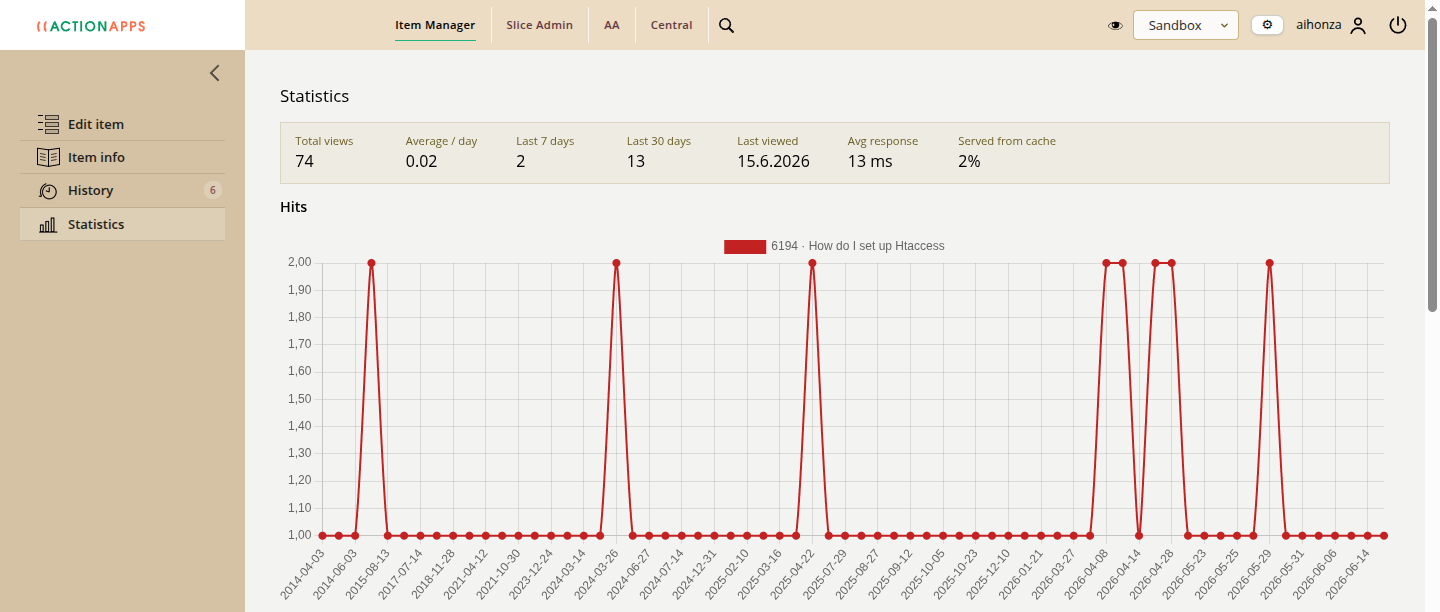
Statistics for every article. New Item Info, History and Statistics pages live right in the left menu while you edit an item. Statistics shows a hits-over-time graph and the key numbers at a glance — total views, average response time and the share of requests served from cache. You can see at once how an article performs.
Load time as a standard metric. Response time is measured and shown as a regular column; statistics distinguish cached and uncached requests and keep the last 20 server-config snapshots, so you can trace under what conditions things were measured.
For developers and advanced users
- missCache for images — thumbnails are generated once and then served as static files. Faster and lighter on the server.
- Smarter caching — the cache key ignores tracking parameters (utm_…) and similar cookies, so cache hits are more frequent.
- A faster, more readable core — the database-structure description (metabase) is now an array (easier to edit, diff and parse), and logging moved to a unified format.
- Fixes and security — fixed item-change notifications over SMTP and several security fixes.
The full list of changes is in the changelog on SourceForge. Spotted something or have an idea? Use the Feedback box in the admin top bar — it reaches the AA team directly.