What's new in ActionApps 2026.10
A new rich-text editor with easy image handling, sharper photos on phones, scheduled data imports, moving whole apps between installations, and another big step in security. Release 2026.10 brings more than 650 changes in a single month.
We've just released ActionApps 2026.10 — only a month after 2026.9, and yet more than 650 changes. This time they matter most to the people who write for their sites every day: there is a new rich-text editor. On top of that come data imports that run on their own, moving whole apps between installations and a big piece of work on security. Here are the highlights.
For authors
A new rich-text editor. The visual editor for items has been replaced. The previous one (CKEditor 4) is no longer developed or patched by its authors; the new one is modern and actively maintained. Its toolbar is laid out close to the one you know — bold, links, images, tables and source code are where you expect them. Fields where you write HTML directly now show it with syntax highlighting, which makes them much easier to read.
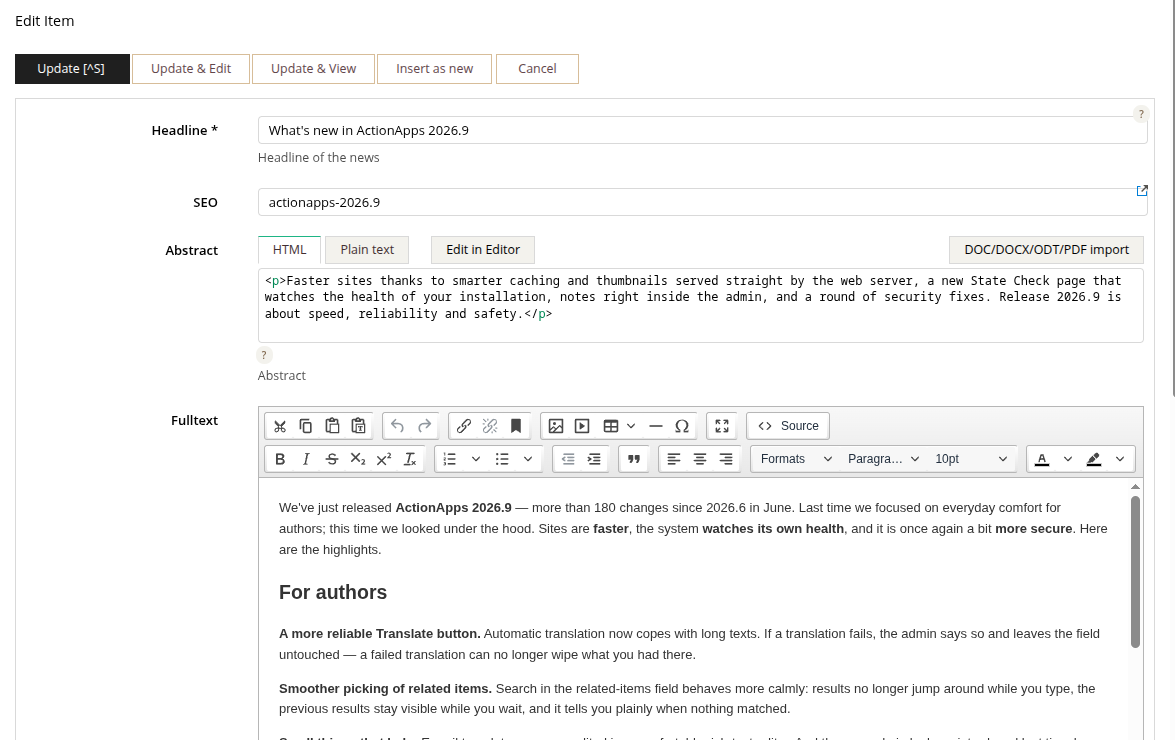
Images and files right from the editor. The image button opens the slice's files — newest first, with thumbnails and a search box. Upload a new image with one click, or simply paste it from the clipboard or drag it into the text.
Sharper photos on phones. Phones and high-resolution screens used to get images at their basic size, so they looked blurred — in about four of five views. Now the browser picks the image in the resolution its screen needs. It works on its own; nothing to change on your site.
Nothing gets lost. In-place editing on the site itself runs on the new editor too, and a save completes even when you click a link and leave right after.
The admin on a phone. Item forms no longer stick out sideways on narrow screens, and the translations of the admin were reviewed on the very screens where they appear.
For editors and administrators
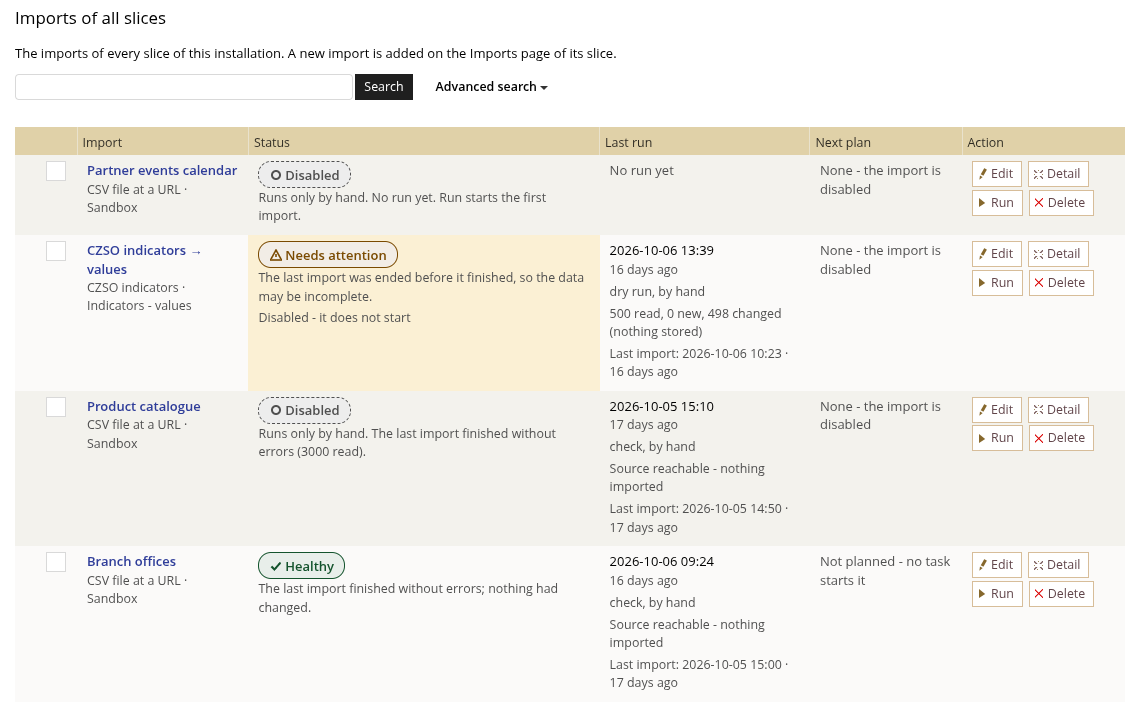
Data imports that run on their own. Every slice has a new Imports page. Data from other sources — a CSV file published on the web, for instance — is fetched on schedule and stored as items. Each import tells you in words how it is doing ("Healthy", "Needs attention"), when it last ran, what it read and when it runs next. You can start it by hand and watch it live; if an import starts failing, State Check says so.
Moving a whole app between installations. A finished site — its slices, views, templates and, if you wish, its content — can now be installed from one ActionApps installation into another. The install shows in advance exactly what will be created and explains in plain words what to watch out for. Central also gets an App store page listing the apps published on actionapps.org.
State Check now watches your analytics, too. Universal Analytics (ids starting with UA-) stopped collecting data in July 2023, yet many site templates still carry only that code — and nobody notices that visits are not measured at all. State Check finds such sites and explains how to switch to GA4.
For developers and advanced users
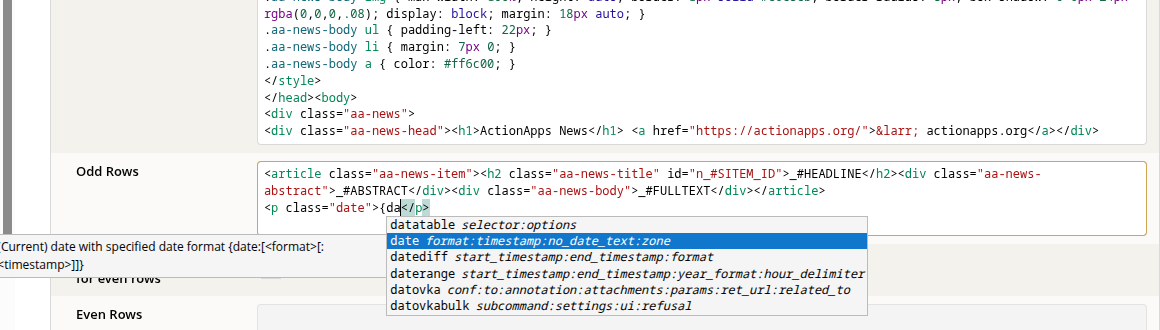
- A code editor that knows AA — while you write a template it offers AA command names, and inside a command it shows its parameters, the current one in bold. It pairs braces exactly as the expander does, inside script and style blocks too. It is now used in site spots, field aliases and slice templates as well.
- Template comments are no longer expanded — a commented-out part of a template is cut out before expansion, so a commented-out view or include no longer costs time on every render.
- Conditions expand only the branch they choose — the expander works inside out, so every branch of an if, ifeq, ifset… condition used to be expanded before the condition decided, including views nobody would see. Now only the chosen branch is expanded, so pages full of conditions render faster.
- More pages from cache — anonymous visitors no longer start a session, visits from Google search share one cached page, and the cache varies only on the cookies a page actually reads. Search queries and hit counters got faster too.
- No third-party CDN — jQuery, Font Awesome, lightGallery and other libraries are served by AA itself. Pages paint sooner, and no third party learns about your visitors.
- Security — the audit went on: repeated failed logins are slowed down (against password guessing), a login gets a new session id, the server refuses to fetch from its internal network (SSRF), uploads with an executable extension are refused, and database queries pass their values as typed parameters.
- Better SEO — a page beyond the end of a listing, or a mangled URL, now answers with a proper 404 instead of an empty page.
- One HTTP client — everything AA fetches from the internet (includes, RSS, imports, Central) goes through one library with the same limits and checks.
- More than 5,000 automated tests — up from about 700 in September. Every change passes them before release.
The full list of changes is in the commit history on GitHub. Spotted something or have an idea? Use the Feedback box in the admin top bar — it reaches the AA team directly.